Rufus
SoftwareWikipedia
36
MENTIONS
16
EPISODES
10
PODCASTS
Search complete. 36 mentions across 16 episodes found for "Rufus".
Nov 19, 2026

Network ChuckHOST
Now let's write this ISO to a USB flash drive that we can use to install into our server.
Network ChuckHOST
We'll need a and the tool I'm gonna use is called Rufus.
Network ChuckHOST
It's what I always use.
Network ChuckHOST
If you have a Mac or a Linux machine, there are other tools, I'll link those below.
Network ChuckHOST
Anyways, Rufus.
Network ChuckHOST
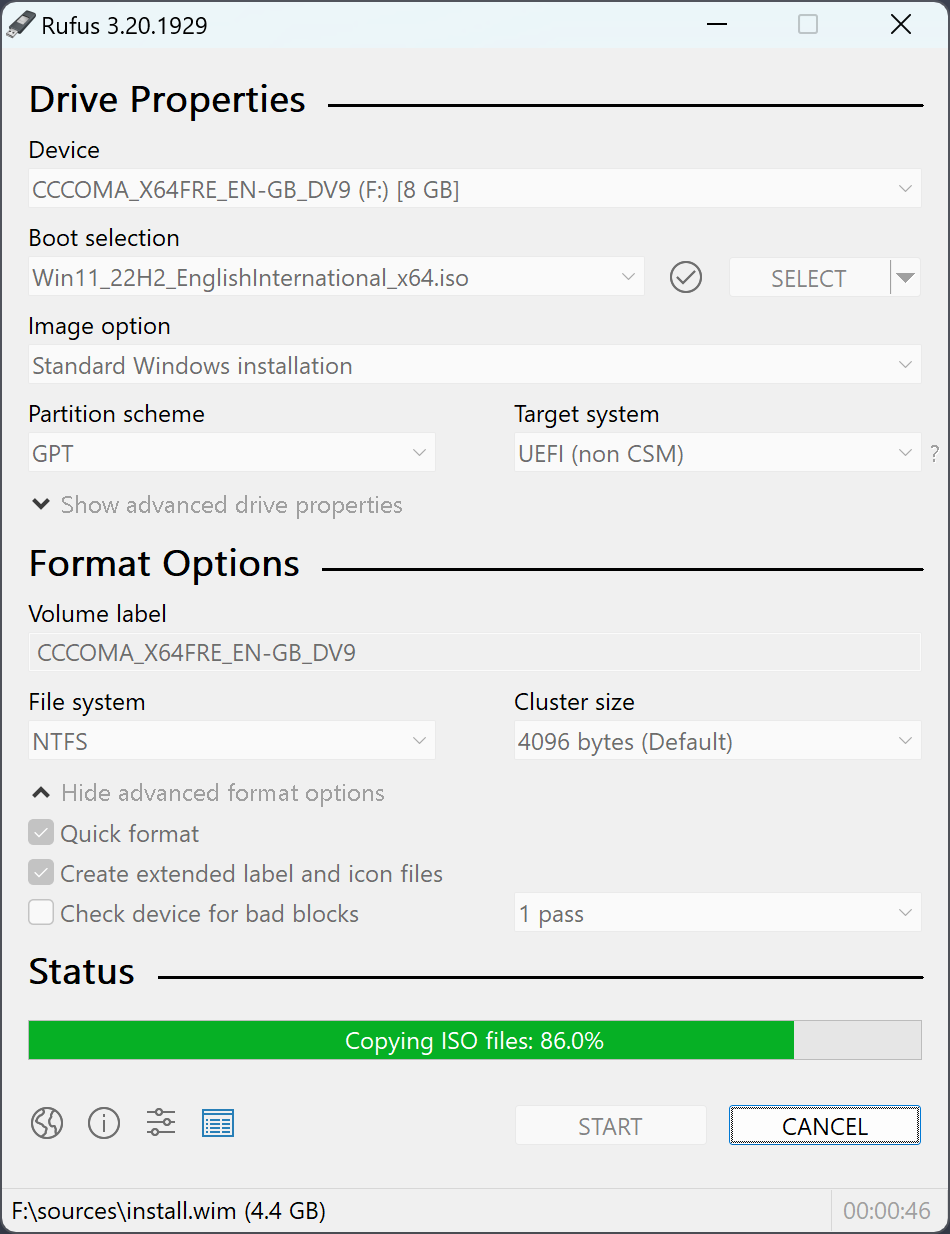
With Rufus, make sure we have the right device selected, I do, and then select your boot, ISO, whatever we're gonna use to write to that thing.
Network ChuckHOST
Mine is gonna not be seven, because they're jerks.
Network ChuckHOST
I'm gonna use 6.7, okay? Make sure your partition scheme is MBR.
Network ChuckHOST
You have to use a special tool.
Network ChuckHOST
If you're using windows like me, my favorite one is called Rufus.
Network ChuckHOST
I got a link below, go ahead and download Rufus.
Network ChuckHOST
I'll download the latest one right here for Mac is a tool called Etcher, which is great.
Network ChuckHOST
And for Linux, I got a guide down below.
Network ChuckHOST
So go ahead and launch Rufus, select your flash drive as the device.
Network ChuckHOST
If you only have one plugged in, it'll default select that.
Network ChuckHOST
And then we'll select our ISO that we just downloaded.
Network ChuckHOST
I'll be right back.
Network ChuckHOST
So we'll grab our USB drive here, plug it in, and to write this to the USB stick, we're gonna use a tool called Rufus.
Network ChuckHOST
I love that it's called Rufus.
Network ChuckHOST
It's just fun.
Network ChuckHOST
Just gonna download the portable version because I don't like installing things.
Network ChuckHOST
And here in Rufus, we're gonna do one very important thing.
Network ChuckHOST
So first we're gonna, of course, select our ISO or select our disc first.
Network ChuckHOST
Make sure you are not overwriting anything.

Will SmithHOST
We talked about the fixed Windows installers.
Will SmithHOST
Oh, here's the last one Don't use Rufus to bypass the TPM 2.0 and secure boot checks So these are hardware requirements that Microsoft added for Windows 11 It's the first time in a really long time that they've actually gated gated access to a new version of Windows behind some hardware capability and You don't want to run you like yes, you can download Rufus You can run it on the ISO that Microsoft provides you can say hey Don't do the TPM stuff skip the secure boot check and it'll work for a while and then at some point you'll get a major upgrade that just won't come and You'll have to reinstall Windows from scratch to get past that and it's a it's a pain in the butt a lot of machines that are not gonna show is having secure boot or TPM 2.0 modules You can actually, they're probably actually in the computer and they're just turned off by default.
Will SmithHOST
So you can open up your UEFI, maybe update your UEFI or BIOS and turn them on.
Will SmithHOST
If you don't have a machine that supports that stuff, it's almost 10 years old at this point.

Chris TitusHOST
Now, when this downloads here, I will say it will allow you to install it on older machines.
Chris TitusHOST
So it does a lot of the same bypasses that tools like Rufus does.
Chris TitusHOST
OK, with that downloaded, let's load that into the utility now.
Chris TitusHOST
Again, we're just using all Microsoft tools here.
Chris TitusHOST
We got the ISO here.
Chris TitusHOST
Here's the path for the ISO.
Chris TitusHOST
So you can easily load this up using Rufus, Etcher, Ventoy, whatever you want to do to load your new system.
Chris TitusHOST
So let's get over and start installing.

Paul ThurrottHOST
I'm sorry, I missed a step.
Paul ThurrottHOST
You would have to write this to a USB stick, which you would do with Rufus.
Paul ThurrottHOST
and then boot your computer with that, and the way you do that is here.
Paul ThurrottHOST
So, in other words, click Restart Now, go into the Windows Recovery Environment, choose that you want to boot from a different device, and then choose the USB, and off you go.
Paul ThurrottHOST
And then it's the standard process.
Paul ThurrottHOST
And then, as we've seen in the past, when you install with Rufus, depending on the configuration, and then Tiny11 Builder also, depending on the configuration, you're going to get a really minimal Windows 11 desktop, like we've seen in the past.
Paul ThurrottHOST
And you might have to connect to ethernet just to get online and then allow Windows Update to occur so you can download all the drivers for your computer.
Paul ThurrottHOST
But when it's all said and done, you'll be up to date through Windows Update.

Paul ThurrottHOST
I'm sorry, I missed a step.
Paul ThurrottHOST
You would have to write this to a USB stick, which you would do with Rufus.
Paul ThurrottHOST
and then boot your computer with that, and the way you do that is here.
Paul ThurrottHOST
So, in other words, click Restart Now, go into the Windows Recovery Environment, choose that you want to boot from a different device, and then choose the USB, and off you go.
Paul ThurrottHOST
And then it's the standard process.
Paul ThurrottHOST
And then, as we've seen in the past, when you install with Rufus, depending on the configuration, and then Tiny11 Builder also, depending on the configuration, You're gonna get a really minimal Windows 11 desktop like we've seen in the past.
Paul ThurrottHOST
And you might have to connect to ethernet just to get online and then allow Windows update to occur so you can download all the drivers for your computer.
Paul ThurrottHOST
But when it's all said and done, You'll be up to date through Windows Update.

Paul ThurrottHOST
And when you get into the Windows recovery environment, just choose to boot up.
Paul ThurrottHOST
I'm sorry, you'd have to, you would have to write this to a USB stick, which you would do with Rufus.
Paul ThurrottHOST
and then boot your computer with that, and the way you do that is here.
Paul ThurrottHOST
So, in other words, click Restart Now, go into the Windows Recovery Environment, choose that you want to boot from a different device, and then choose the USB, and off you go.
Paul ThurrottHOST
And then it's the standard process.
Paul ThurrottHOST
And then, as we've seen in the past, when you install with Rufus, depending on the configuration, and then Tiny11 Builder also, depending on the configuration, you're going to get a really minimal Windows 11 desktop, like we've seen in the past.
Paul ThurrottHOST
And you might have to connect to Ethernet just to get online and then allow Windows Update to occur so you can download all the drivers for your computer.
Paul ThurrottHOST
But when it's all said and done, you'll be up to date through Windows Update.

MajidHOST
I've never seen something so quickly installed.
MajidHOST
It was a 6.7 gig ISO, 6.7, which downloaded and used, I can't remember if I used Rufus or used Berlina, Etchell, or maybe I used Ventoy.
MajidHOST
I can't even remember now, but I, you know, the usual kind of ways that you would get an image onto a USB and then do an install.
MajidHOST
And I timed this.

Paul ThurrottHOST
That's great because you could actually integrate that into the installation media.
Paul ThurrottHOST
But the thing I found is that when you use like a utility like Rufus to kind of bypass some of the Microsoft nonsense, you often find yourself booting into like a near empty desktop with no icons.
Paul ThurrottHOST
There's nothing there, but you also can't connect to the Internet.
Paul ThurrottHOST
So what you have to do is connect an Ethernet cable, which will connect immediately, go to Windows Update and update, and then you'll get all the drivers from there.
6 more episodes mention Rufus.
Create an account to see the whole feed, search across every transcript, and follow the entities you care about.