podman
SoftwareWikipedia
140
MENTIONS
24
EPISODES
13
PODCASTS
Search complete. 140 mentions across 24 episodes found for "podman".
Oct 17, 2026

Edward OjamboHOST
After that, we're going to do something in containers.
Edward OjamboHOST
So we're going to install our own photo cloud powerhouse using Podman and then Docker and control it using Podman desktop.
Edward OjamboHOST
After that, we have the Raspberry Pi Zero W. I'm going to install Cronkey on it and view it using VNC because it headless.
Edward OjamboHOST
After that, we're going to make another prediction, which is that this is for twins basically using biological simulation.

denolfeHOST
The author used Jellyfin, IMIC, Home Assistant, Forgeo, Vault Warden, Frigate, Audiobookshelf, and other tools to replace streaming, photo storage, smart home, media, and productivity services.
denolfeHOST
The setup avoided direct public exposure, favored native single binary applications, and used Podman with SystemD for more complex services.
denolfeHOST
The author avoided email hosting, office suites, location tracking, and the R stack because they added too much maintenance or depended on too many components.
denolfeHOST
In the comments, the sentiment was largely positive towards self-hosting as an accessible and rewarding hobby.
denolfeHOST
Users debated native installations versus Docker Compose, with container supporters citing isolation, portability, consistent management, and simpler backups.
denolfeHOST
Supporters of native binaries preferred lower overhead, fewer dependencies, and less operational complexity, while others recommended Podman Quadlets, NixOS, Proxmox, or Kubernetes for repeatable deployments.
denolfeHOST
Users also challenged the post's view of the R stack, saying it was lightweight and reliable after setup.
denolfeHOST
Overall, the discussion treated self-hosting as practical for enthusiasts, but still too demanding for most households.
Edward OjamboHOST
So what I'm saying is I want something that would be easy to...
Edward OjamboHOST
I think these days with Podman, I can probably get away, uh, uh, or containers like Docker, I can probably get away using something that's Linux only, 'cause I can always put like some type of distribution box around something in a container.
Edward OjamboHOST
So I probably don't need to worry about that anymore, which is great.
Edward OjamboHOST
Okay, so, um, we'll run this command.
24 MINS LATER
Edward OjamboHOST
I'm just gonna...
Edward OjamboHOST
Uh, yeah, so I, I don't wanna get the name out of the ca- uh, the cat out of the bag, but yeah.
Edward OjamboHOST
So we'll do that, and I'll show you how to, uh, uh, host it with Podman and then Docker and control everything using Podman Desktop.
Edward OjamboHOST
Okay, so that's it.

Ruben ShadeHOST
Nuts.
Ruben ShadeHOST
Anyway, uh, next in the, the news roundup, something that you could install some man pages into, Podman is HomeLab ready on FreeBSD, so this is on aumont.fr, uh, by, this is by Matthew Aumont.
Ruben ShadeHOST
Uh, this was on March, early March this year, but, um, yeah, this is something I've, I've wanted to read through for a while.
Ruben ShadeHOST
He says, "In a previous post, I was complaining about applications that didn't run correctly on FreeBSD." Yes, I remember that post.
Ruben ShadeHOST
"Mostly because they were built specifically for Linux and macOS, and didn't provide any clear documentation on how to install it for bare metal machines.
Ruben ShadeHOST
I knew that work had been done on the FreeBSD side to ensure compatibility with OCI containers.
Ruben ShadeHOST
In fact, it's possible to run Podman on FreeBSD and even launch applications.
Ruben ShadeHOST
For a long time, I tried in vain to install image on FreeBSD, but it required too many PostgreSQL stack compiles with specific modules, uh, Redis, Python packages, et cetera.

Scott McCartyGUEST
That is the basic gist.
Scott McCartyGUEST
I was also the product manager for Podman.
Scott McCartyGUEST
I kicked off Podman with the team.
Scott McCartyGUEST
And I also launched Red Hat Universal Base Image.
Scott McCartyGUEST
So I'm a container guy deep down inside, I guess is what I am probably.
14 MINS LATER
Jorge CastroGUEST
But then you have Fedora, which is basically almost semi-rolling anyway.
Jorge CastroGUEST
It does releases, but you always get a rolling kernel two weeks after or whatever.
Jorge CastroGUEST
So I think the most important thing that this kind of stuff does, because it's not just Hummingbird, it's going to be this micro VMs, there's always Kubernetes, it's always going to be in the conversation, Podman, Docker, all of this kind of stuff, is you got to get the stuff right.

Herman PoppleberryHOST
It's true, and the mechanism is boring in the best way.
Herman PoppleberryHOST
Docker and Podman share the host kernel.
Herman PoppleberryHOST
There's no hypervisor, no second kernel, no device emulation.
Herman PoppleberryHOST
When the inference engine submits a CUDA kernel inside a container, it goes through the same driver stack, the same IOCTL path, the same GPU, and the kernel executes identically.
Edward OjamboHOST
This is Herodo Jambo.
Edward OjamboHOST
In today's, uh, podcast, I'm going to show you how to install, uh, Supabase using both Docker and then Podman and controlling all of this using Podman Desktop.
Edward OjamboHOST
Now, before we begin, I would like to implore you to subscribe, like, follow, and leave comments.
Edward OjamboHOST
It helps out the channel.
Edward OjamboHOST
The link for that is also in the description.
Edward OjamboHOST
Running a full back-end stack without the cloud is finally possible.
Edward OjamboHOST
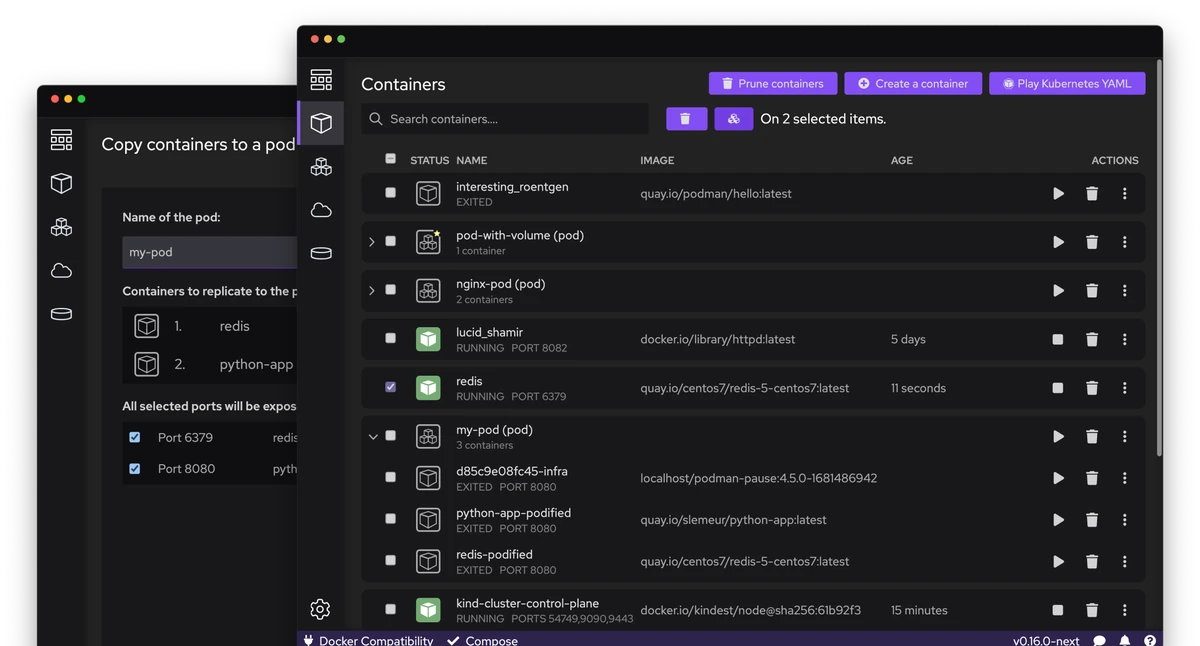
Podman Desktop makes this transition seamless for any technical enthusiast.
Edward OjamboHOST
You can deploy entire ecosystem with a few simple clicks.

LeoHOST
Oh, what now? So I had to look into this.
LeoHOST
Boot C is what the like the back end for Podman composable way to tell Podman to do things and using Fedora as the the platform to then do your container bits in and caddy would be the container bit that your container rising or whatever.
LeoHOST
Right.
LeoHOST
So, OK.
LeoHOST
I've done everything in Docker.
LeoHOST
I know Docker fairly well.
LeoHOST
What I don't know is Podman.
LeoHOST
And Dan, you said it before we sat down, or before we really started to hit the go button, that Podman is like, what would you say, 95% compatible with Docker? Is it?
Edward OjamboHOST
If you don't wanna install things directly, um, if it's not in repo, you don't feel like compiling, you, uh...
Edward OjamboHOST
Or you don't wanna compile on your main system, you can use a container, a Docker, Podman.
Edward OjamboHOST
You guys have seen me, uh, do that for you guys.
Edward OjamboHOST
So, but I, I, I know it's in my repo, so how do I know if it's in-- uh, I mean, Fedora? So I just type DNF search, then I just type xgalaga, and then this will search the repository to see if xgalaga does exist, and it...
23 MINS LATER
Edward OjamboHOST
Very annoying.
Edward OjamboHOST
Uh, if you wanna see what's upcoming on ojambo.com, you go to the watch menu.
Edward OjamboHOST
You see tomorrow we are actually using Podman Desktop.
Edward OjamboHOST
Yay.
Edward OjamboHOST
It's a retro, uh, or, or what do you call it? A rehash of a retro game.
Edward OjamboHOST
Uh, then after that, we're going to use, uh, Podman and Docker and control them using, uh, Podman Desktop, uh, for Sup- Supa, Supabase, which is one of those, um, I guess you call like a client for, um, Postgres.
Edward OjamboHOST
And then after that we're going to do something on a Raspberry Pi Zero W. We're going to install htop, and I'm gonna show you how to control it using, uh, VNC or i-if or, or by just do it on the command line.
Edward OjamboHOST
Uh, just a second.
14 more episodes mention podman.
Create an account to see the whole feed, search across every transcript, and follow the entities you care about.