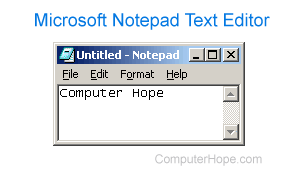
Notepad
Computer applicationWikipedia
41
MENTIONS
23
EPISODES
21
PODCASTS
Search complete. 41 mentions across 23 episodes found for "Notepad".
Nov 23, 2026

AlexHOST
to type it in manually instead of copy and paste, which would be super easy.
AlexHOST
Why'd you block Notepad, dude? I didn't do it.
AlexHOST
It was the whole global school admin that did it.
AlexHOST
That's the worst thing ever.
NickHOST
Because the kids can't access settings at all, which includes
AlexHOST
all the Microsoft apps like
NickHOST
Notepad and
AlexHOST
shit.

Jeremy GoldmanHOST
I do actually remember that.
Jeremy GoldmanHOST
This is right around when I started to quasi-program, and it had legendary built-in programs we kind of still recognize today, like Calculator, Notepad, and Microsoft Paint.
Jeremy GoldmanHOST
It's wild to think how far our screens have come since these non-overlapping boxes and basic MS Paint.
Jeremy GoldmanHOST
Are you diehard Windows and PC users, or did you jump the ship to Mac a while ago like I did?

BugHOST
which is crazy because you just you like just take notes like in markdown and like that makes a lot more sense because it's like actually useful to like quickly do things
MossHOST
I just used Notepad EXE for a long time because I was like, well, fuck it.
MossHOST
Nothing really has...
MossHOST
The mechanical notebook is not in a position where it's ready to be used by the public.

Paul ThurrottHOST
So from here, it doesn't look like much, but this is the same interface that we saw in LM Studio.
Paul ThurrottHOST
in Hermes Agent, and in most of these other things, it's just kind of stripped down in tech space, and you can ask questions, you can do all the things we were doing before, but last night, in anticipation of the show, I asked it to do that thing I've been trying to do, which was, can you create a a duplicate or a copy or whatever of the Notepad app that is in Windows 11.
Paul ThurrottHOST
And the last time I was successful doing this, this was through Hermes agent, and I don't remember the model, I guess it doesn't matter, but this thing churned for two hours.
Paul ThurrottHOST
and came up with a pretty basic app.
Paul ThurrottHOST
My goal is not to have to do that, but I created this thing, so prepare yourselves.
Paul ThurrottHOST
So this is a very basic text editor.
Paul ThurrottHOST
I have been on my own creating many, many different versions of Notepad using different technologies, different languages, different frameworks.
Paul ThurrottHOST
This is not great.

Paul ThurrottHOST
So from here, it doesn't look like much, but this is the same interface that we saw in LM Studio.
Paul ThurrottHOST
in Hermes Agent and in most of these other things it's just kind of stripped down in tech space and you can ask questions you can do all the things we were doing before but last night in anticipation of the show I asked it to do that thing I've been trying to do which was can you create a a duplicate or a copy or whatever of the Notepad app that is in Windows 11.
Paul ThurrottHOST
And the last time I was successful doing this, this was through Hermes' agent, and I don't remember the model, I guess it doesn't matter, but this thing churned for two hours.
Paul ThurrottHOST
and came up with a pretty basic app.
Paul ThurrottHOST
My goal is not to have to do that, but I created this thing, so prepare yourselves.
Paul ThurrottHOST
So this is a very basic text editor.
Paul ThurrottHOST
I have been on my own creating many, many different versions of Notepad using different technologies, different languages, different frameworks.
Paul ThurrottHOST
This is not great.

Marc StieglerGUEST
and when I double click I bring up the application that's been installed for editing text that is CapEdit.
Marc StieglerGUEST
CapEdit is once again born in absolutely strict confinement unlike Notepad.
Marc StieglerGUEST
When you launch Notepad or Emacs on Linux or Windows it comes up with all of your authority and if you pop open a dialog box that says, if you pop up a dialogue box to specify a file for this thing to edit, the real truth of the matter is you are the humble supplicant and the application is the king who rules.
Marc StieglerGUEST
Because the application already has the authority to read and corrupt every file you've got And so, when it opens up that dialog box, what it's really saying is, you know, I'm going to go off and hammer every file that I feel like hammering.
Marc StieglerGUEST
While I'm doing that, is there a particular file you would like to edit? Okay.
20 MINS LATER
Marc StieglerGUEST
Now, as it happens, Brett was recently telling me about this really cool new text editor.
Marc StieglerGUEST
It's awesome.
Marc StieglerGUEST
It's far more powerful than Emacs and far more user-friendly than Notepad.

Jon MatznerHOST
Here are the four words, Peter Lohmann, that you're going to take at Crane, okay? You ready to write them down? You got your notebook open, okay?
Peter LohmannHOST
Notepad.exe.
Jon MatznerHOST
Number one, eliminate.
Jon MatznerHOST
Number two, reduce.

Josh AndersonHOST
What was the technology that you built that product on?
Shane JonesGUEST
The first thing I ever did was I was using Notepad to develop a CBT HTML for a Navy base.
Josh AndersonHOST
What? Wait a minute.
Josh AndersonHOST
What? So you.

Patrick HyndsHOST
I don't think so.
Patrick HyndsHOST
I can use Notepad to edit an ASCII file.
Carl FranklinHOST
Yeah, but the model file isn't an ASCII file, is it?
Patrick HyndsHOST
No.

FredHOST
Then copy that text into a plain text editor.
FredHOST
If you're on a Windows PC, you could just simply use Notepad.
FredHOST
It's free.
FredHOST
It's there.
13 more episodes mention Notepad.
Create an account to see the whole feed, search across every transcript, and follow the entities you care about.