Microsoft Defender Antivirus
SoftwareWikipedia
32
MENTIONS
18
EPISODES
16
PODCASTS
Search complete. 32 mentions across 18 episodes found for "Microsoft Defender Antivirus".
Oct 25, 2026

Chris TitusHOST
But if you kind of want a trimmed down Windows 11 image, I think Tiny11 Builder is not bad.
Chris TitusHOST
uh i don't know if i'd recommend it but it's a decent alternative let's just say that and as long as you don't use the core the core will strip out like the update windows update windows defender windows component store this is going to break so much stuff like this is really only meant for like a single use case for that system and that system is going to be very vulnerable so uh This, don't do.
Chris TitusHOST
Don't ever do Tiny 11 Core unless you know exactly what you're doing.
Chris TitusHOST
But the rest of this is not bad.

Adam LittlefieldGUEST
And that's antivirus.
Adam LittlefieldGUEST
Good thing is Windows has its built in Defender, Microsoft Defender, Windows Defender, whichever name you want to call it.
Adam LittlefieldGUEST
And it's honestly good for 90 percent of users, I would say.
Adam LittlefieldGUEST
It's all I use at home.
Greg RhodesHOST
And it's one of those that's definitely improved over the years.
Greg RhodesHOST
When it first came out, Windows Defender, definitely people were very skeptical of it.
Greg RhodesHOST
You're going to police your own software.
Greg RhodesHOST
You don't know what the issues are.
Chris TitusHOST
And it started in Windows 7, Windows Security System Center.
Chris TitusHOST
It's had Windows Defender for a little bit.
Chris TitusHOST
Now it moved to Windows Microsoft Essentials and then back to Defender.
Chris TitusHOST
It bounces around and then it forces you, the Windows Firewall on you and some other things.

Steve GibsonHOST
And although, as we've talked about before, those don't seem as horrifying as remote code execution, because who wants to have your computer executing code that some cretin managed to sneak into it? Still, elevation of privilege matters because...
Steve GibsonHOST
The way Windows security hierarchy is set up, most users do not run with admin privileges.
Steve GibsonHOST
And if something happens in your computer while you're logged in because of something you do, the bad guys have code running with your privilege, meaning restricted, not root, not admin.
Steve GibsonHOST
So elevating that privilege to... to full access in order to do much more devastating permanent damage is crucial 677 problem problems were found and fixed just last tuesday that allowed exactly
23 MINS LATER
Steve GibsonHOST
Bleeping Computer covered that, writing, smart app control is a Windows 11 security feature that uses Microsoft's app intelligence services and code integrity features and works alongside Microsoft Defender and Smart Screen to block potentially harmful apps or binaries.
Steve GibsonHOST
So basically, it's preventing you from running something that could damage you or your system.
Steve GibsonHOST
so they so bleeping said according to the company microsoft on affected devices running windows 11 version 24 h2 and later the smart app control option is grayed out and cannot be changed microsoft said in an update to their and it's the the the patch for windows uh 11 security features kb 512-7648 advisory the They said, after installing this update, some devices might be unable to turn on Smart App Control in the Windows Security app if it has been turned off.
Steve GibsonHOST
On affected devices, the option to turn on Smart App Control might be grayed out.

Eagle FalconHOST
Do make sure you run malware checks once in a while.
Eagle FalconHOST
I'd say antivirus checks, but every single Windows system out there has Windows Defender and that works shockingly well.
Eagle FalconHOST
Do you know how many like old school tech nerds I would tell that nowadays you're fine with just Windows Defender and they'd look at me and just go, what? No.
Eagle FalconHOST
what
speaker_1UNKNOWN
are

Rory MonaghanHOST
Microsoft said for this one that untrusted search paths in .NET Framework allows an authorized attacker to bypass a security feature locally.
Rory MonaghanHOST
Microsoft says this flaw could allow attackers to bypass Windows Defender application control enforcement and run those unauthorized applications.
Rory MonaghanHOST
There was also CVE-2026-92707, and this is a message pack C-sharp denial of service vulnerability.
Rory MonaghanHOST
For this vulnerability, Microsoft said improperly controlled sequential memory allocation in .NET allows an unauthorized attacker to deny service over network.

Alan PerryHOST
You can scan, Kyle, this is one of those weird things that I don't know why they're doing it.
Alan PerryHOST
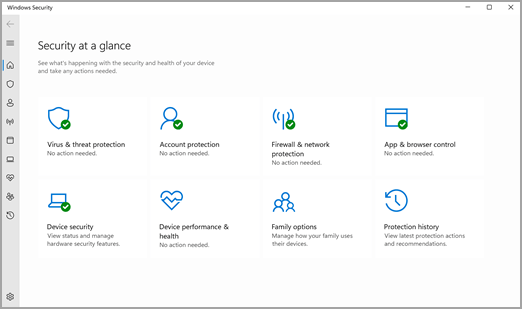
There's both Windows Security and Microsoft Defender.
Alan PerryHOST
They're complementary apps, but they overlap a lot.
Alan PerryHOST
And I've not been able to get a good answer on why you don't just have one or the, not you, but why Microsoft doesn't do one or the other.
Alan PerryHOST
some issues there so try the cold boot and see if that does it and as long as you can run a scan on security
Kyle WilsonHOST
the cold boot uh the text back in that unfortunately it didn't work oh it didn't or they knew about the cold boot trick
Alan PerryHOST
oh yes we know okay so then try running windows security chuck and see if that will do the complete full scan for you try the full scan instead of the quick scan the quick scan button is there but then i believe it says other options and you can go to full scan Okay, homework videos in here for you.
Alan PerryHOST
Didn't get to these, but there are some really cool ones there.

TeresaHOST
After that, I went on my phone and searched how to fix this issue.
TeresaHOST
I went through the whole process that was suggested and started Windows Defender to remove any bugs and checked my computer to see if there was anything that was downloaded illegally.
TeresaHOST
Then on September ninth, the update happened again.
TeresaHOST
This time, I didn't see the browser moving, but I immediately turned off the laptop.

James AzarHOST
Microsoft has not shared details on the specific exploitation vector or even the threat actors involved in this one.
James AzarHOST
But the two publicly disclosed zero days are CVE-2026-108398, that's a .NET framework feature s- uh, um, bypas- security feature bypass that can be used to run unauthorized applications and specifically bypass Windows Defender's application control enforcement.
James AzarHOST
It was disclosed by James Forshaw of Google Project Zero Day and CVE-2026-92707, a MessagePack C# denial of service vulnerability for prioritization.
James AzarHOST
Start with your actively exploited Windows Shell bypass, then work through the critical tier in order of exposure.

Paule CastroHOST
So no improvements, but the continuing protection provided by the built-in system, that is.
Paule CastroHOST
Windows Defender still? Windows Defender, yeah.
Paule CastroHOST
Be very careful.
Paule CastroHOST
I will not go anywhere near McAfee.
8 more episodes mention Microsoft Defender Antivirus.
Create an account to see the whole feed, search across every transcript, and follow the entities you care about.