Google PageSpeed Tools
15
MENTIONS
11
EPISODES
11
PODCASTS
Search complete. 15 mentions across 11 episodes found for "Google PageSpeed Tools".
Oct 28, 2026

Dario NouriHOST
Yes.
Dario NouriHOST
So I saw that if you go to Google PageSpeed, it'll tell you now if it's... an agentic uh agent opt-in or god i forget the term they have they added a new tab for if your website is easy for llms to understand and one of the things was recommending to add a a type of file to your website which i did i did do i forget what it was called though it's like a it's almost like a robot text but it's like an llm i think it's called lll ms.txt something like that but you can have like cloud or chat gpt created for you and then just upload it to the website and that'll help the search that'll help the llms understand your website better like in terms of being able to parse it and and know what you the type of content you have on on the website right
Doug ThompsonGUEST
maybe that would be a better option than the faqs because like
Dario NouriHOST
i mean the faqs are still good like for clients like that are on it and might have questions right

Bryan C. MillsHOST
Measure first because guessing about speed is unreliable as guessing about traffic.
Bryan C. MillsHOST
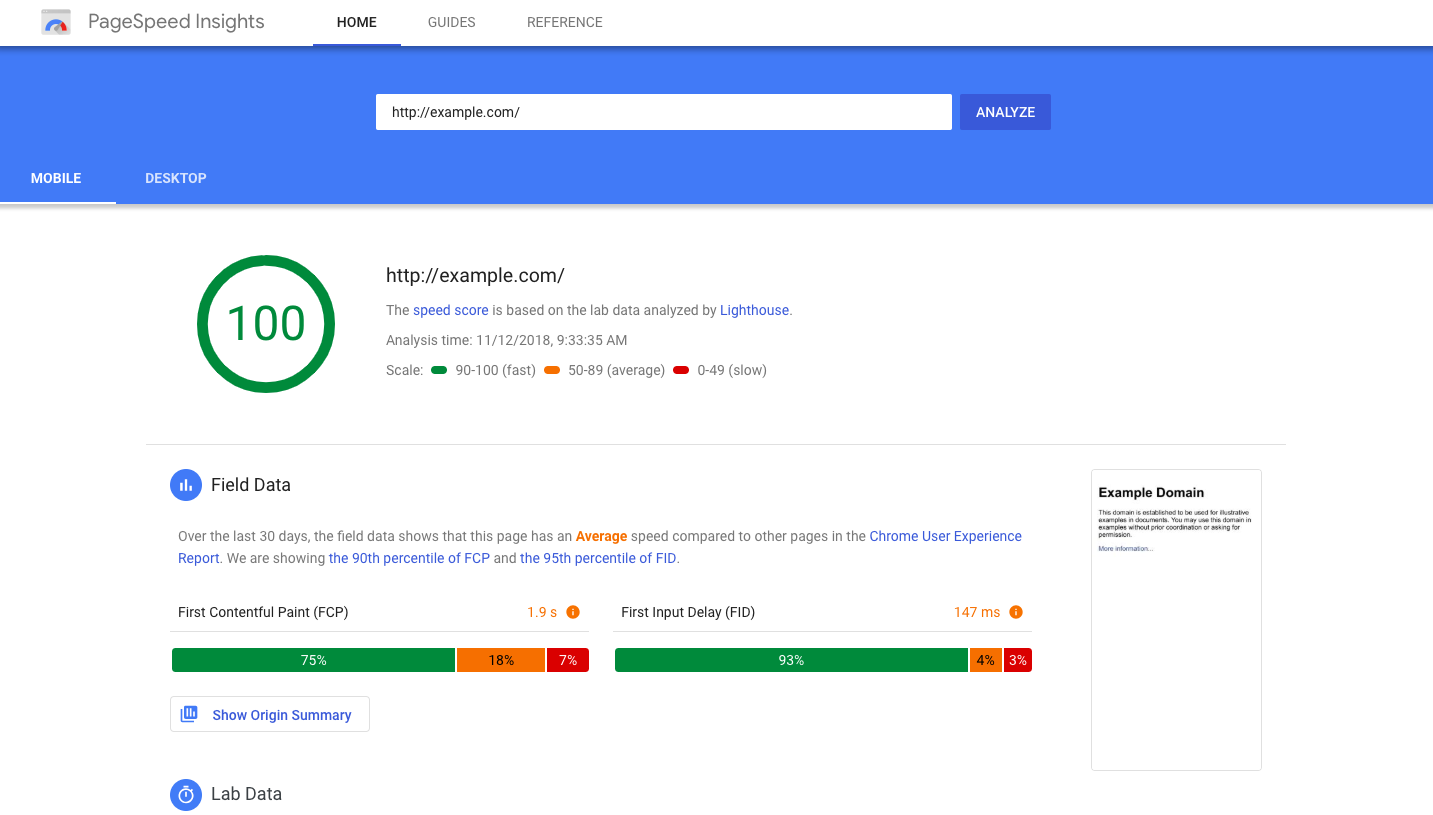
PageSpeed Insights, which is free, takes your web address, and returns what real visitors experienced, plus a list of recommendations that you can make.
Bryan C. MillsHOST
Read the verdicts, skim the top suggestions, and ignore the engineering waterfall below them.
Bryan C. MillsHOST
That's written for developers tuning the last 10%.
14 MINS LATER
Bryan C. MillsHOST
One tool from this chapter's affordable tool stack.
Bryan C. MillsHOST
60 seconds, no sponsorships ever.
Bryan C. MillsHOST
This week, PageSpeed Insights.
Bryan C. MillsHOST
It's Google's free speed report.

Rachel LindteigenHOST
You can use either one.
Rachel LindteigenHOST
What you want to do there, just Google PageSpeed Insights or Pingdom, either one.
Rachel LindteigenHOST
What it will do, you put your URL in there and it'll tell you how fast your page loads.
Rachel LindteigenHOST
It'll tell you how quickly your content shows up.

Courtney RobertsonGUEST
It knows to do that in what order.
Courtney RobertsonGUEST
PageSpeed Insights, look at my Accessibility Checker Pro results, look at my Yoast SEO type of things.
Courtney RobertsonGUEST
Joey Kudish, who I knew from his time at Metarik, built a tool, Agency AI, and it will look at if the AI can scan your site or not.
Courtney RobertsonGUEST
It looks at my security headers and email stuff and testing a form on my site.

Leo SgovioGUEST
The way you want to use this skill is by following these instructions I'm going to share with you.
Leo SgovioGUEST
So first, you have to go to pagespeed.web.dev, which is Google's official PageSpeed Insights tool that allows you to analyze your page speed.
Leo SgovioGUEST
And so what I did after Google gave me these results here, this report, I downloaded this page.
Leo SgovioGUEST
So you want to go to File in your Chrome, and then Download Page As, or Save Page As.

KevinHOST
SiteKit by Google has more than 5 million installs.
KevinHOST
It connects your site to Search Console, Google Analytics, PageSpeed Insights, and more.
SiennaHOST
And for redirects?
KevinHOST
The Redirection plugin, with more than 2 million installs, it creates 301 redirects and logs every 404 error.

Chris TitusHOST
Yeah, so I'm very close to 100% across the board for mobile and desktop.
Chris TitusHOST
So PageSpeed Insights, very good.
Chris TitusHOST
I didn't even put this on here as this is something that's been a work in progress for many, many years.
Chris TitusHOST
My website has gone through many iterations over the past couple decades.

Matt BradleySOUNDBITE_SPEAKER
I think the simplest and the free way to do it is this.
Matt BradleySOUNDBITE_SPEAKER
If you scan this QR code, it will take you to a tool called Google PageSpeed Insights.
Matt BradleySOUNDBITE_SPEAKER
It's a free tool developed by Google that you can feed any website, including your own, into.
Matt BradleySOUNDBITE_SPEAKER
And it will instantly tell you, well, it takes about 10 seconds, how the website is performing based on a series of very important web metrics.
28 MINS LATER
Matt BradleySOUNDBITE_SPEAKER
Again, I know a lot of folks manage their website in-house, which is incredible.
Matt BradleySOUNDBITE_SPEAKER
Others of us have web teams.
Matt BradleySOUNDBITE_SPEAKER
I would say as a starter, seriously, run your main pages through the free Google PageSpeed Insights Test.
Matt BradleySOUNDBITE_SPEAKER
Copy and paste the free feedback the most advanced internet company in the world gives you.

Marc BaconGUEST
And that's one of the benefits of doing it now is that it's a new standard and it's really starting to pick up.
Marc BaconGUEST
even tools like Google says they don't use it, but Google added an LLMS file checker to their PageSpeed Insights test to make sure like in their agentic testing tool and you get a ding if you don't have it.
Marc BaconGUEST
So that tells me that it's important, even though it's kind of like contradictory information, but it only takes, you know, it's something that's really easy to make.
Marc BaconGUEST
It's a fast thing and it's a really quick win that you can get up and for tools that use it, it's really important to have.

Coleman HubertHOST
all the more reason to try and increase your page speed.
Coleman HubertHOST
Now, here's the fix if you wanna actually look into your PageSpeed Insights.
Coleman HubertHOST
Go to PageSpeed Insights on Google.
Coleman HubertHOST
It's a free platform that you can use to actually check your mobile and your desktop page speed.
Coleman HubertHOST
All you gotta do is plug in your URL, click on Get Results, and then you will see how fast your page is actually loading on your mobile and your desktop version.
1 more episode mentions Google PageSpeed Tools.
Create an account to see the whole feed, search across every transcript, and follow the entities you care about.